Instagram to MP3 Downloader

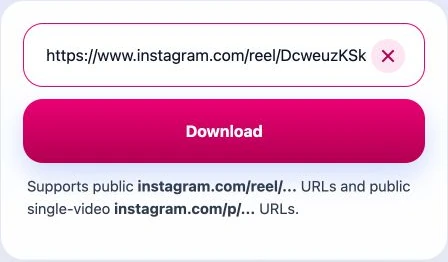
Paste a public Instagram Reel or a single-video post URL, preview the media, and convert it to MP3 online with no login required.

Supports public instagram.com/reel/... and public single video instagram.com/p/... URLs.

What is an Instagram to MP3 Downloader?

An Instagram to MP3 converter lets you extract audio from Instagram videos. Just paste a supported public URL, and you’ll get a temporary MP3 download link in seconds. It’s a free, browser-based tool that works on any device — no login or account needed.

How to Extract Instagram Audio

Copy Instagram link
1
Copy the public Instagram URL

Copy a public Instagram reel URL or public single-video post URL from Instagram.

Paste Instagram link
2
Paste and preview

Paste the URL into SaveReels, preview the media, and continue to the MP3 download flow.

Download Instagram MP3
3
Download the MP3

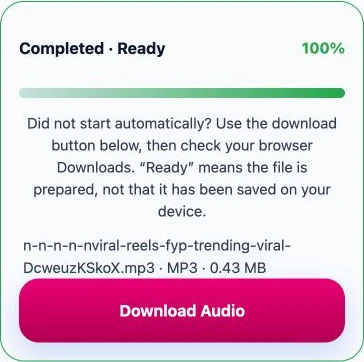
SaveReels extracts the audio track and starts the MP3 download when the file is ready.

Why Use the MP3 Flow?

Simple Audio Export

Simple Audio Export

Extract one MP3 file from a supported Instagram video URL without extra conversion steps.

Browser Based

Browser Based

Convert Instagram reels to MP3 directly in your browser without installing software.

Preview First

Preview First

Check the resolved media details before the MP3 preparation job begins.

No File Storage

No File Storage

MP3 files are generated on demand and never stored permanently.

Key Features

Works on Any Device

Convert and download Instagram audio on any device — phone, tablet, or desktop.

No Subscriptions Required

Enjoy unlimited MP3 downloads without paying or signing up for any plan.

Your Privacy Matters

We don’t store your files or track your activity — everything stays private.

High-Quality MP3 Audio

Get clean, high-quality sound extracted directly from the original video.

No Signup Needed

Just paste the link and download — no account or registration required.

Who Uses It?

Creators

Creators

Extract audio from your own public Instagram videos for drafts, edits, and review.

Editors

Editors

Grab reference audio quickly for cuts, timing studies, and production notes.

Social Teams

Social Teams

Archive approved public Instagram audio examples from campaign content.

Researchers

Researchers

Keep public audio samples for documentation, analysis, and comparative review.

Formats

MP3 file icon

MP3 Audio

The main output of this flow is one MP3 file per supported Instagram request.

MP4 file icon

Need Video Too?

Switch back to the main Instagram Reels & Video Downloader if you need the full Instagram video as MP4.

FAQ

Yes. The MP3 flow supports the same public Instagram reels and public single-video post URLs as the main downloader.
No. SaveReels MP3 is limited to supported Instagram video URLs only.
Instagram can change page structure, restrict access, or block public delivery. Private, unavailable, image, or carousel content is outside the supported scope.
No. SaveReels works with publicly accessible URLs only and does not require a SaveReels account.
It depends on your local laws and whether you have the right to copy or reuse the content. For the safest use, only download media you own or have permission to save.
For video downloads, SaveReels provides the best available public MP4 version it can resolve from the source post. On this MP3 page, the service converts audio from a supported public video URL after resolving the source media.
There is no user account requirement, but temporary rate limits may be applied to keep the service responsive and reduce abuse.
Yes. SaveReels is currently free to use for supported public Instagram video and audio extraction flows.
SaveReels does not add its own watermark to MP4 or MP3 outputs. If the original source contains baked-in branding or spoken overlays, they remain because they are part of the public source media.
SaveReels does not require you to log in with Instagram, and generated files are kept only for a limited time before cleanup. You should still use the service only with public links you are comfortable processing.
No. The MP3 flow works with supported public Instagram video URLs and does not require an Instagram account login.
Instagram does not offer a universal direct file-download option for every public post. SaveReels focuses on supported public video URLs, and this MP3 page extracts audio from those videos rather than downloading Instagram photos.
Your browser typically saves the file in the default downloads folder on your device, unless it asks you to choose a destination. SaveReels MP3 outputs are saved as MP3 files; Instagram photo downloads are not supported here.
Yes. The SaveReels flow works in modern mobile browsers, so you can resolve supported public Instagram links and download MP3 files from phones, tablets, and desktops.
Check that the Instagram link is public and supported, then refresh the page and retry. If Instagram changes media delivery or temporarily blocks public access, the resolve or download step can fail until the source becomes available again.
Only when you have permission to do so. SaveReels can prepare supported public media files, but reposting rights, copyright, and platform policies still apply when you publish that content elsewhere.