
In the Instagram app
- Open the individual Reel or video post you want to save.
- Open its sharing menu and look for Copy link. The location and wording can change with the Instagram app version.
- Paste the copied address into Instagram Video Downloader, or into Instagram to MP3 Downloader when you only need audio.
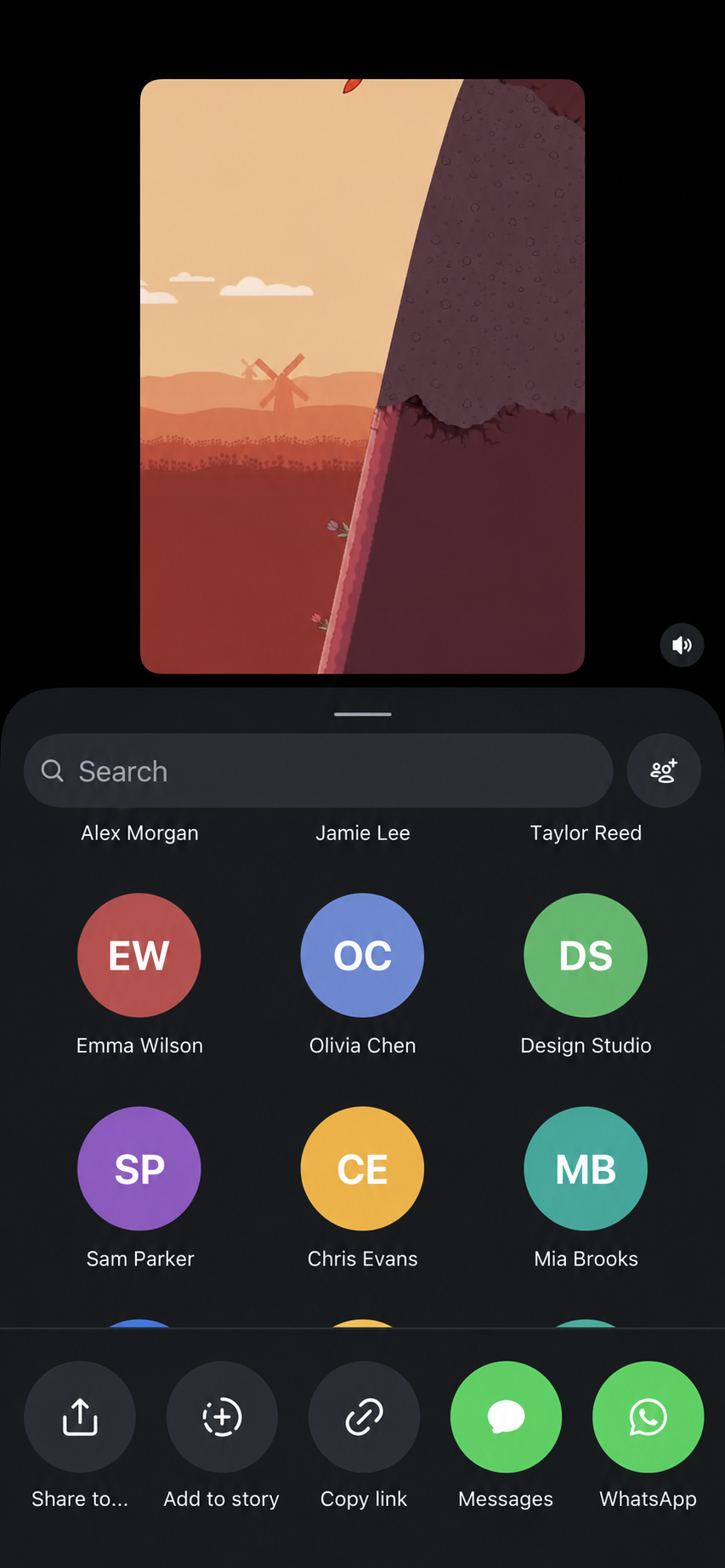
In a browser
- Open the individual post, rather than a profile grid.
- Copy the address from the browser’s address bar.
- Check that it points to /reel/SHORTCODE/ or /p/SHORTCODE/. A /p/ URL can also contain photos or a carousel, which this downloader does not support.
Check the link before downloading
- https://www.instagram.com/reel/SHORTCODE/ illustrates a Reel URL.
- https://www.instagram.com/p/SHORTCODE/ illustrates a post URL; the post must contain one supported public video.
- These placeholders describe the URL shape; they are not working media examples.
- Do not substitute a profile URL, Story, audio-library item or direct CDN/media URL.
- Public availability and a correct-looking URL do not guarantee that Instagram will make the stream available to SaveReels.
If Copy link is absent
Try opening the individual post in Instagram’s browser view and inspect the available sharing options. Do not provide your Instagram password or cookies to obtain a link. If the content is private, removed or unsupported, copying a different URL cannot bypass that restriction.